CLIENT:
KLEPIERRE
DURATION:
3 MONTHS
ROLE:
UX DESIGNER
project overview.
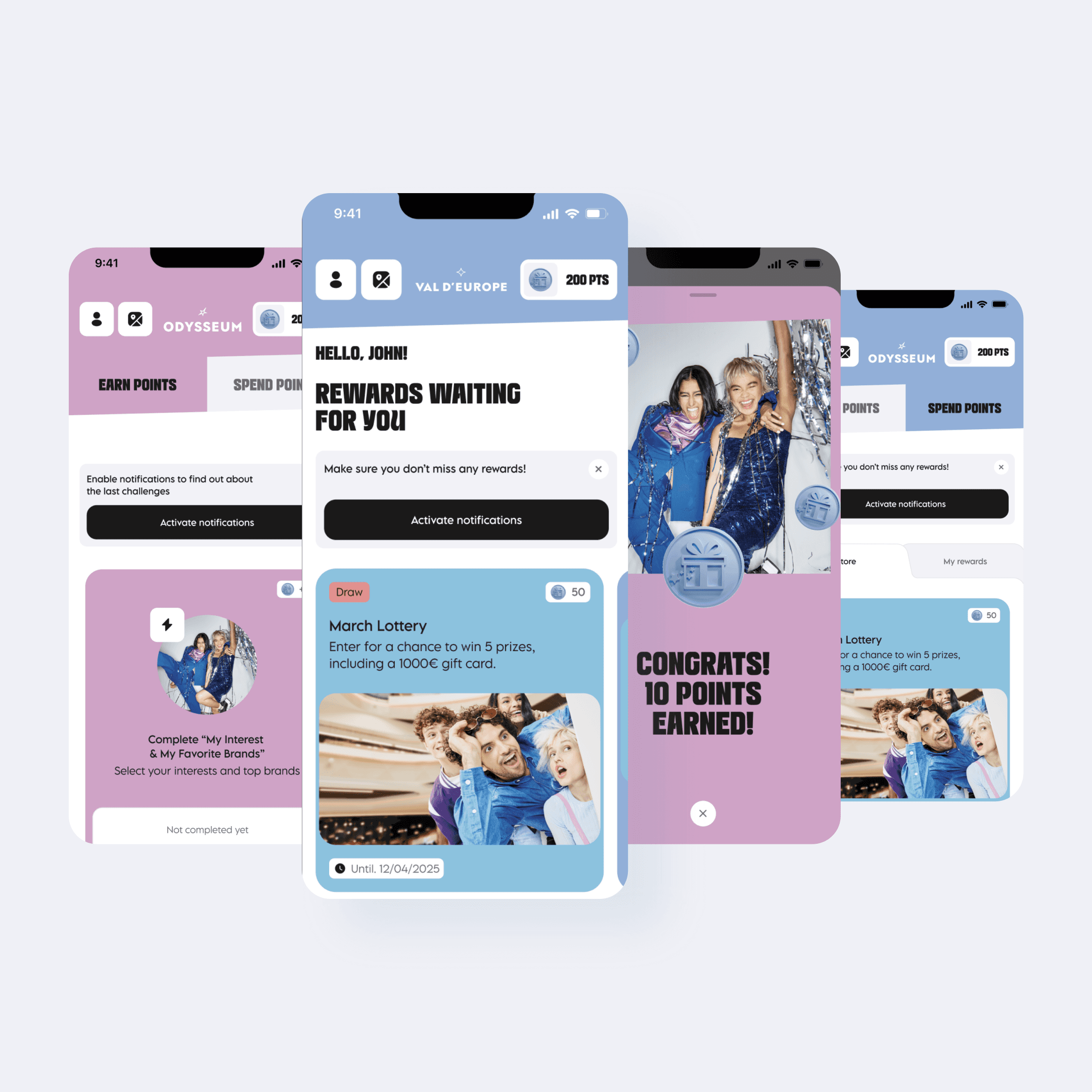
I worked closely with a marketing stakeholder (client side) and our product team (agency side) to bring a new loyalty program to life. I led weekly client presentations, iterated wireframes and flows based on feedback, and ensured the UX vision was accurately translated in collaboration with our UI designer. I also aligned internally with developers to make sure designs were feasible, working autonomously under tight deadlines.
OOUX
User Flows
Wireframing
Information Architecture
Client presentations
Internal alignment
Stakeholder collaboration
business context.
Klépierre manages over 100 shopping centers across Europe. Their loyalty app, available in 10 markets, is key to:
Collecting customer data
Encouraging repeat visits
Increasing in-mall spend
The redesign aimed to transform the app into a highly engaging, data-driven platform—making the program’s benefits clear and easy to use while enabling deeper personalization.
challenge.
How might we redesign Klépierre’s loyalty app to reduce drop-off during account creation, increase first-scan rates for receipts, and clearly communicate program benefits—while improving data capture for personalization and designing challenges, rewards, and deals that work seamlessly within the malls back-office content and data limitations?
objectives.
Boost data capture – transactional data, visits, loyalty use, profile details, contact opt-ins
Increase engagement – earn & burn mechanic linked to gamified challenges
Make the program benefits crystal clear across all markets
Ensure back-office compatibility so malls can easily populate and manage content for challenges, rewards, and deals
approach.
1/ Laying the Foundation
I began by reviewing the current loyalty app to understand its structure, pain points, and opportunities for improvement. Using an Object-Oriented UX (OOUX) approach, I mapped every element—challenges, rewards, deals, services, and store/restaurant categories—along with their attributes and relationships. This helped me ensure nothing was overlooked and created a shared foundation with the Product Owner, who added missing elements.
I complemented this with:
Benchmark analysis of loyalty programs (in and out of category) to identify best practices for onboarding, gamification, and earn & burn mechanics.
Discussions with developers to determine which data fields were mandatory at account creation to capture qualified, actionable data without creating friction.
This upfront work allowed me to define a clear structure for the program and align all stakeholders before moving into design.
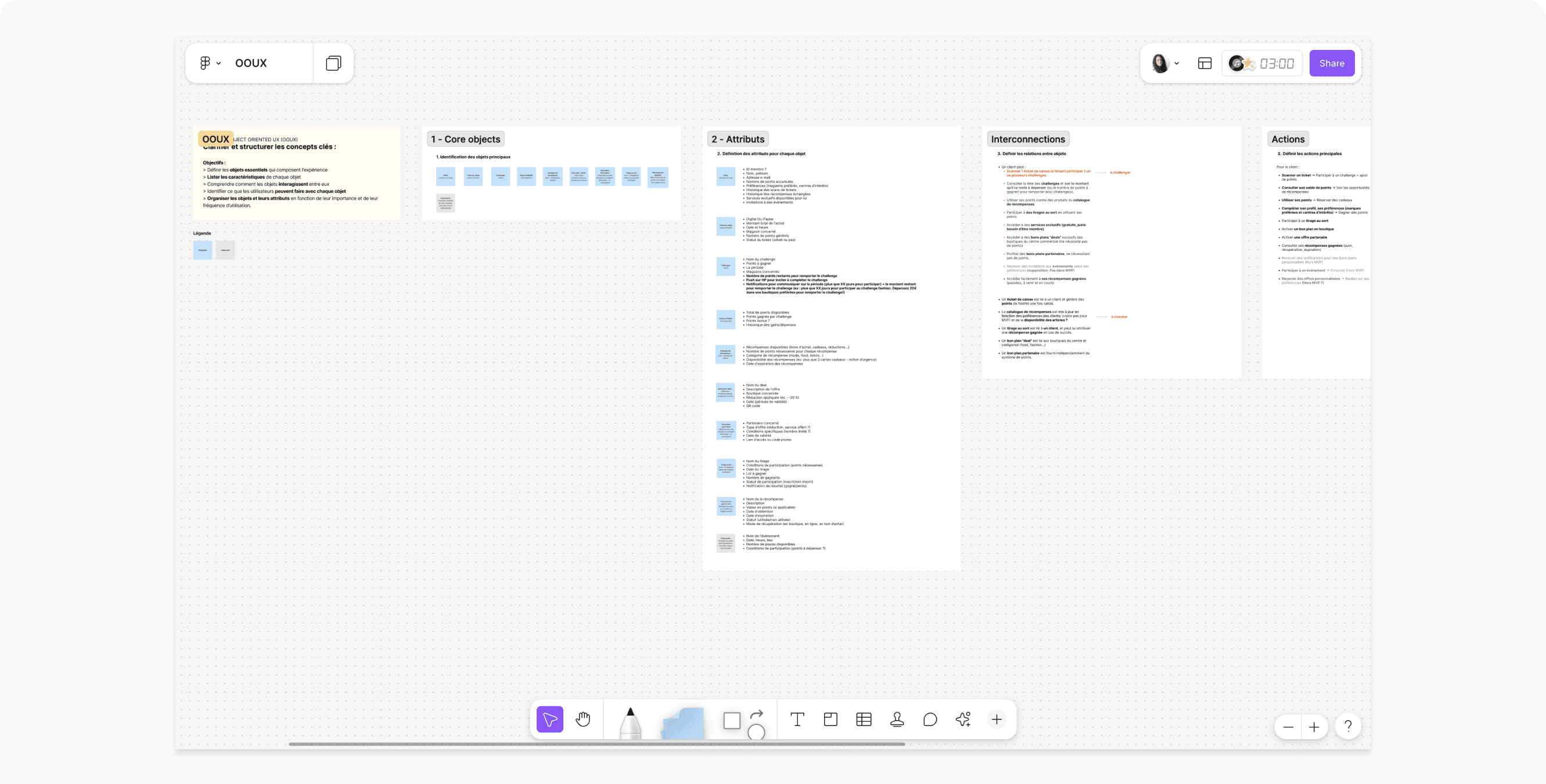
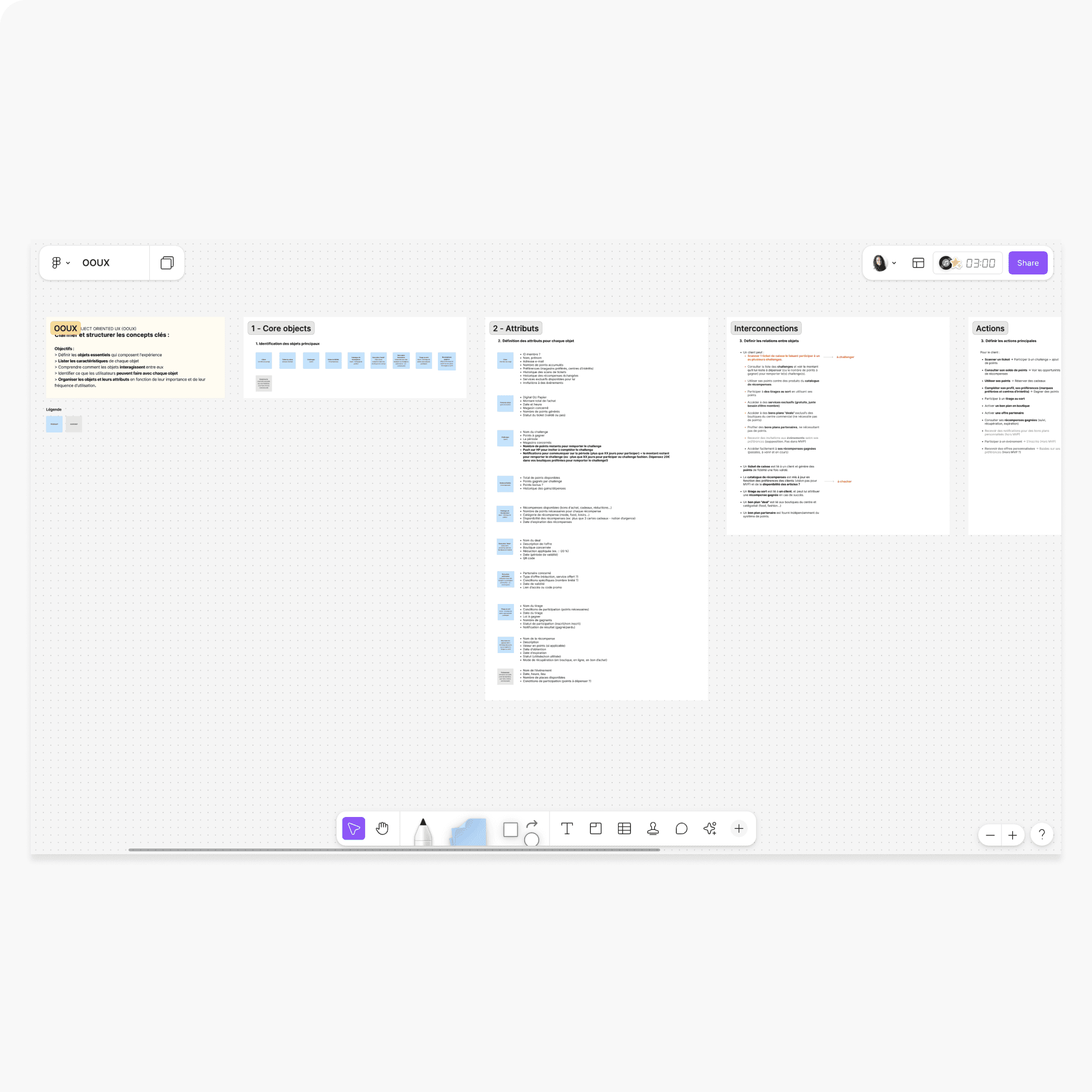
OOUX board: the very first step in the project, helping me map and understand every component of the loyalty program. Sharing it with the Product Owner allowed us to add missing elements and ensure nothing was overlooked before moving into flows and wireframes.
2/ Optimizing Onboarding for Speed and Data Capture
Initially, my design intent was to have users land directly on profile completion challenges right after creating their account—encouraging them to add personal details, interests, and favorite brands immediately. This would not only accelerate data capture but also immerse them in the earn & burn mechanic from day one, helping them intuitively grasp the app’s purpose and rewards system.
However, during discussions, the client emphasized the need for maximum speed in account creation. Most downloads occur on-site in malls, with cashiers prompting users to scan receipts and access deals. In this context, even minor delays could deter adoption or even account creation.
To address both needs, I designed two tailored flows:
Flow 1 (First Launch): Condensed program benefits into a single screen; made only key fields mandatory (based on dev input) to balance data quality with minimal friction.
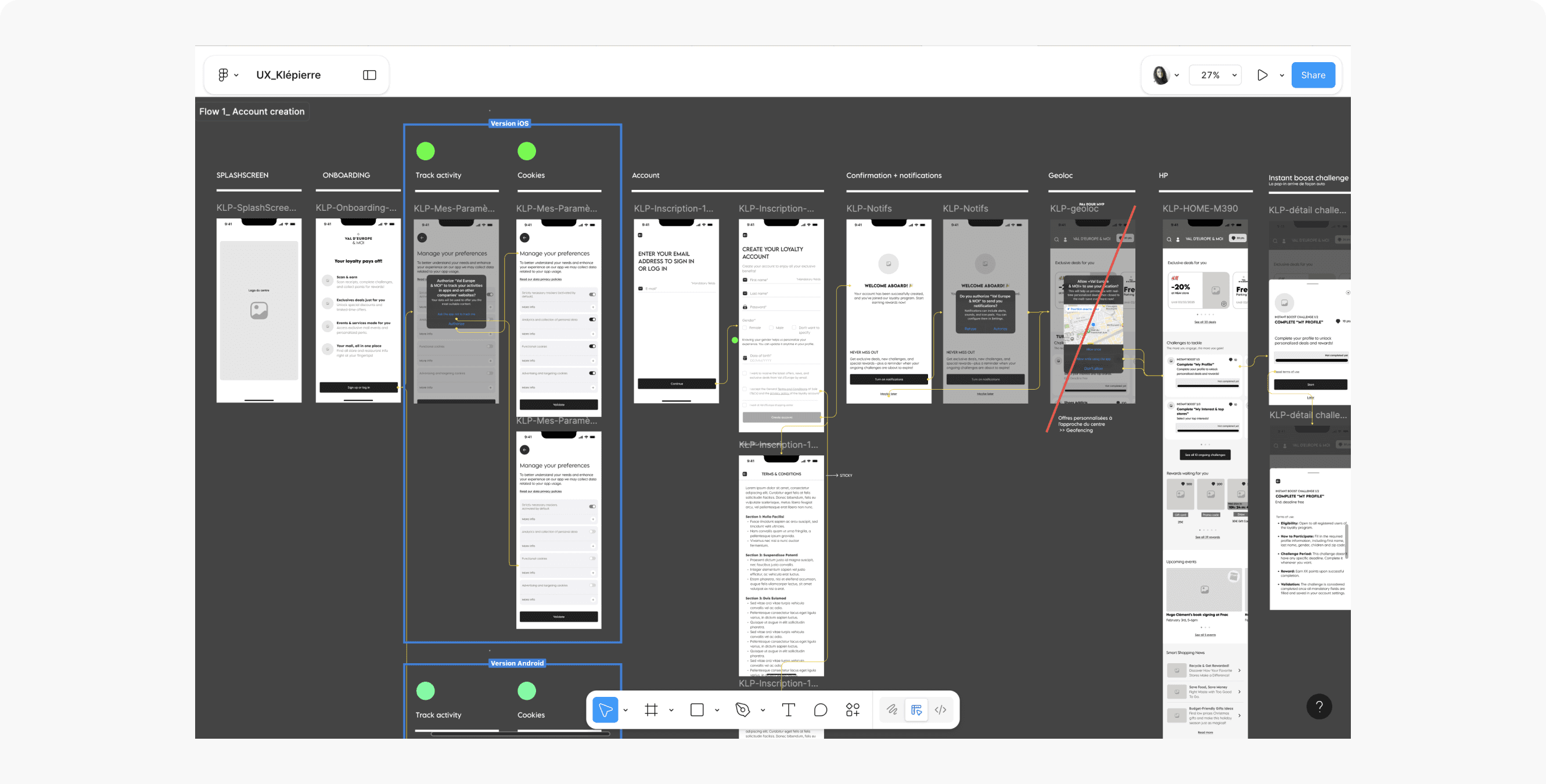
Account creation-Wireframes: After three design iterations and client feedback implementation, here is the final account creation and management flow. (Green circles: visual indicators used with the UI designer I collaborated with—red dots marked changes needed, which were switched to green once implemented.)
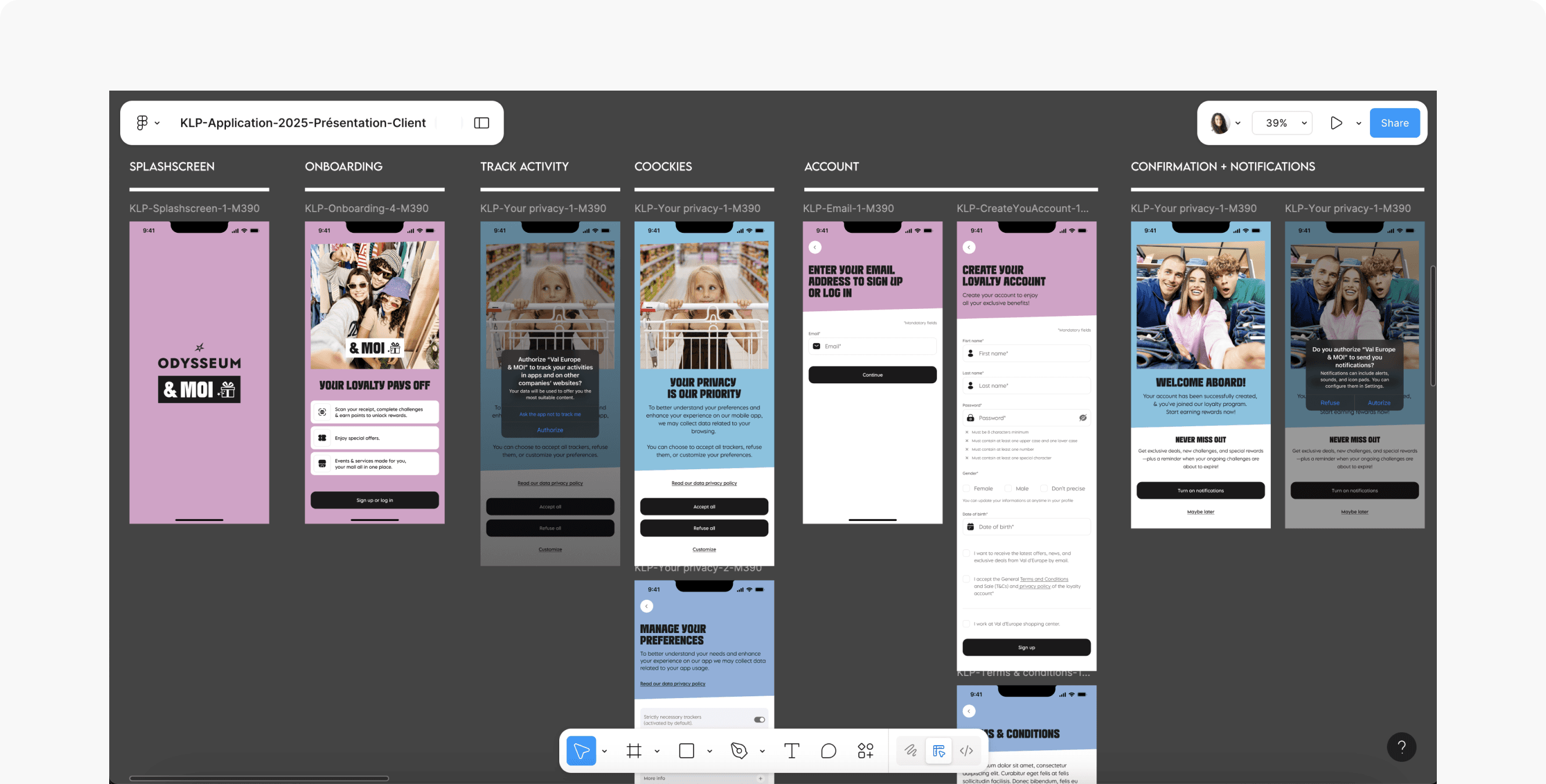
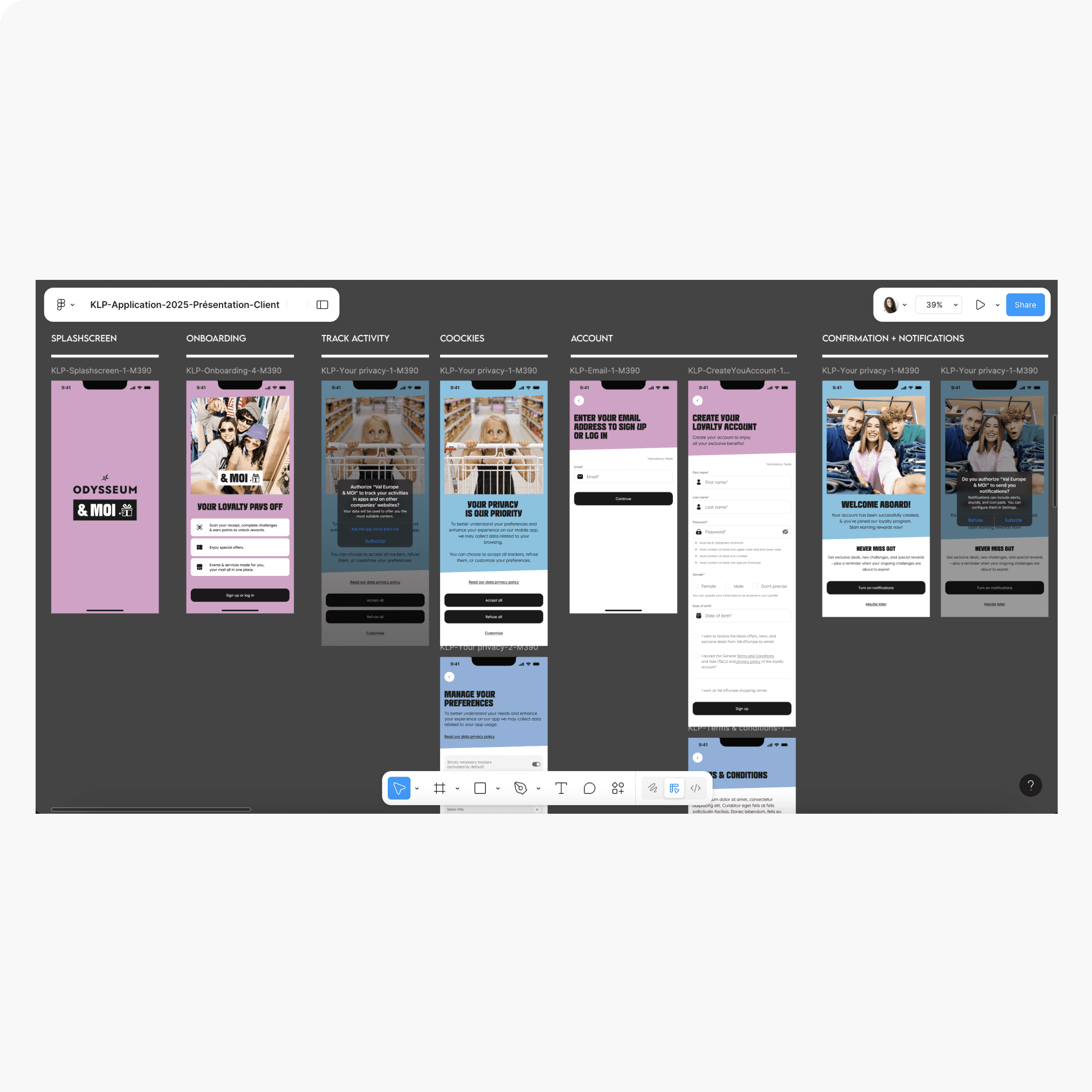
Account creation - UI: Collaborated closely with the UI designer to ensure visual consistency, brand alignment, and accessibility across all screens—translating the wireframe logic into a polished, high-fidelity experience ready for development.
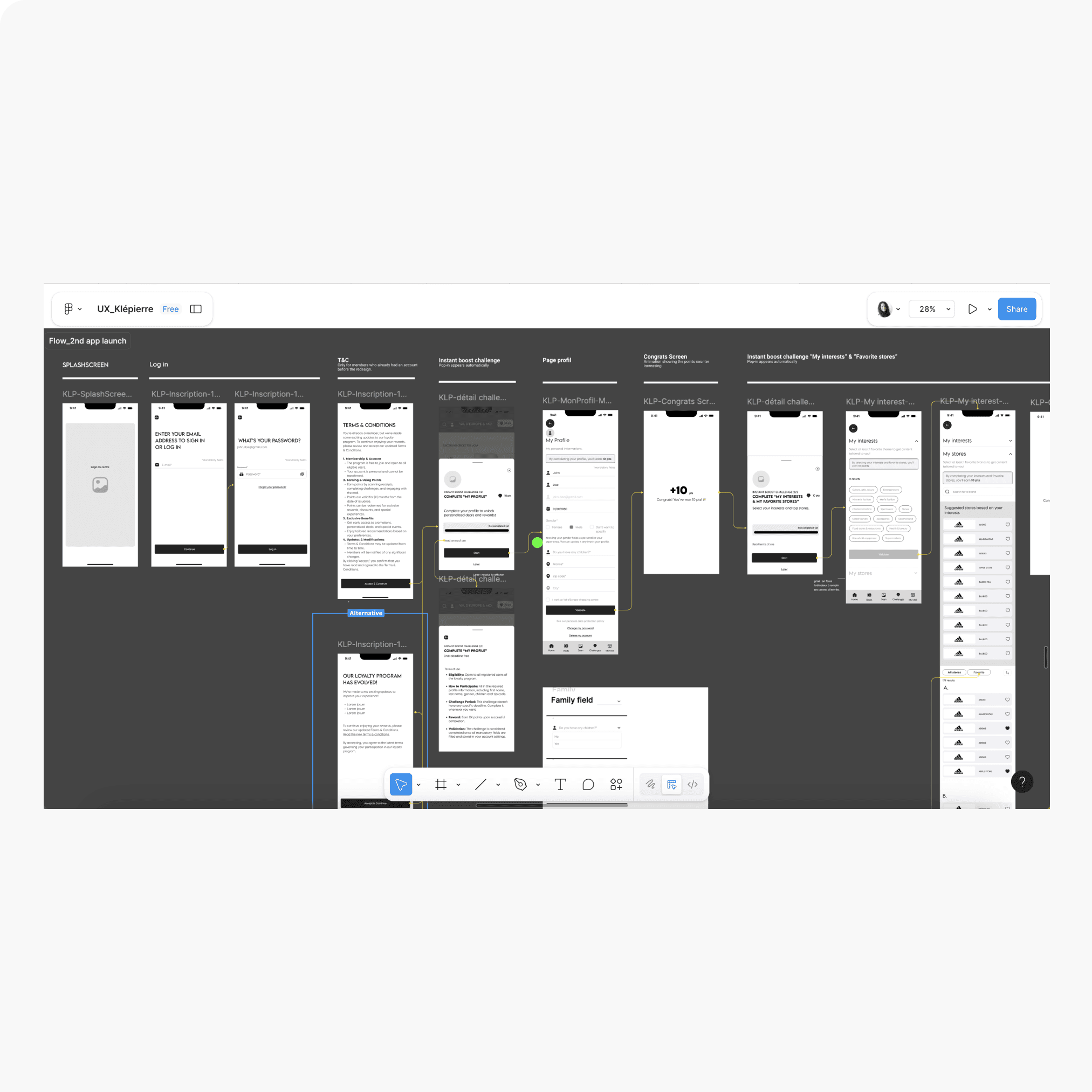
Flow 2 (Second App Launch): Automatically triggered gamified profile completion challenges—capturing interests and favorite brands while familiarizing users with the earn & burn mechanic through hands-on interaction.
This dual-flow approach met the client’s speed requirement, built engagement from day one, and set the foundation for long-term retention.
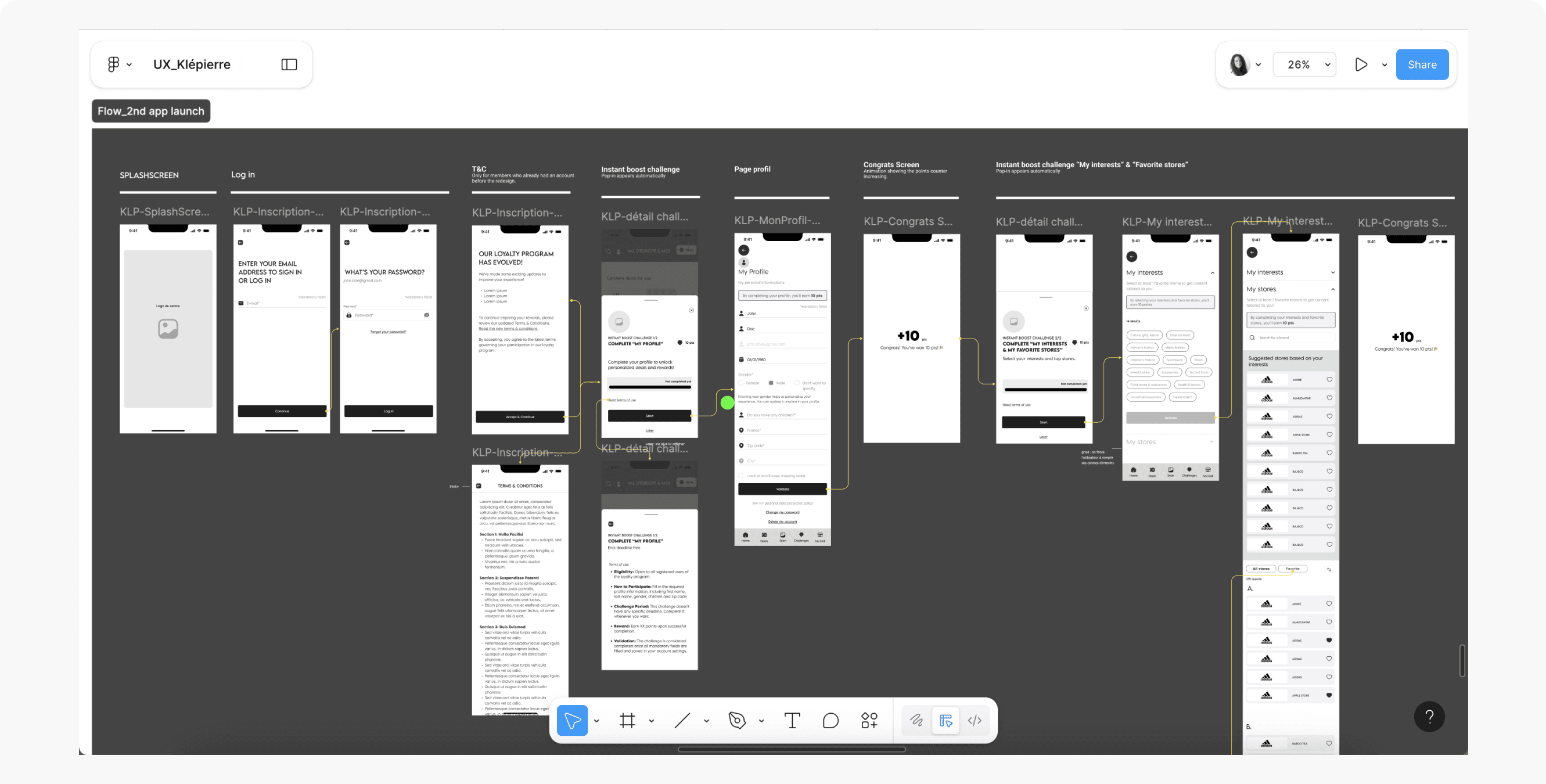
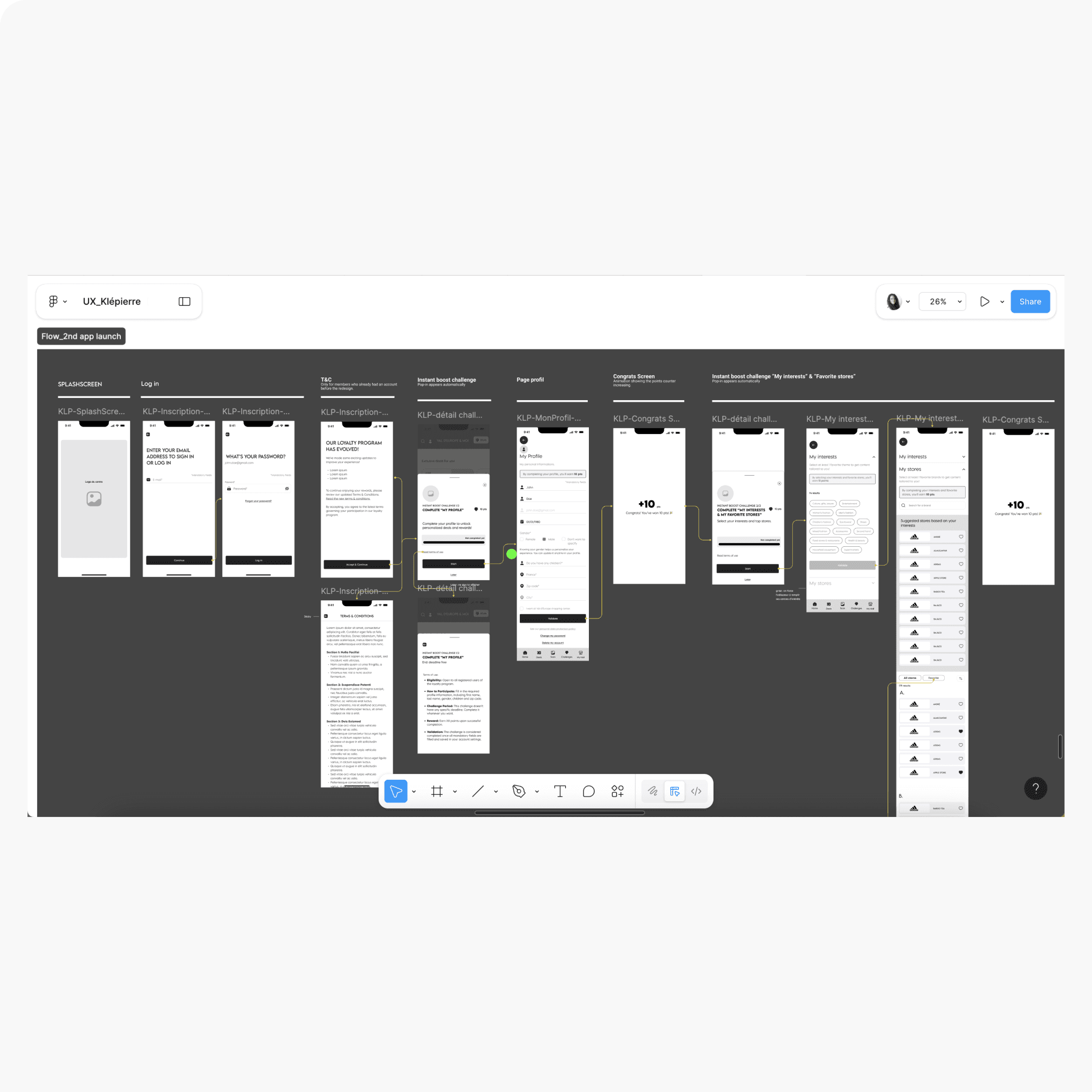
Second App Launch-Wireframes: Flow where challenges to complete the profile, select interests, and choose favorite brands appear automatically—designed to familiarize users with the earn & burn mechanic from their first interactions after sign-up.
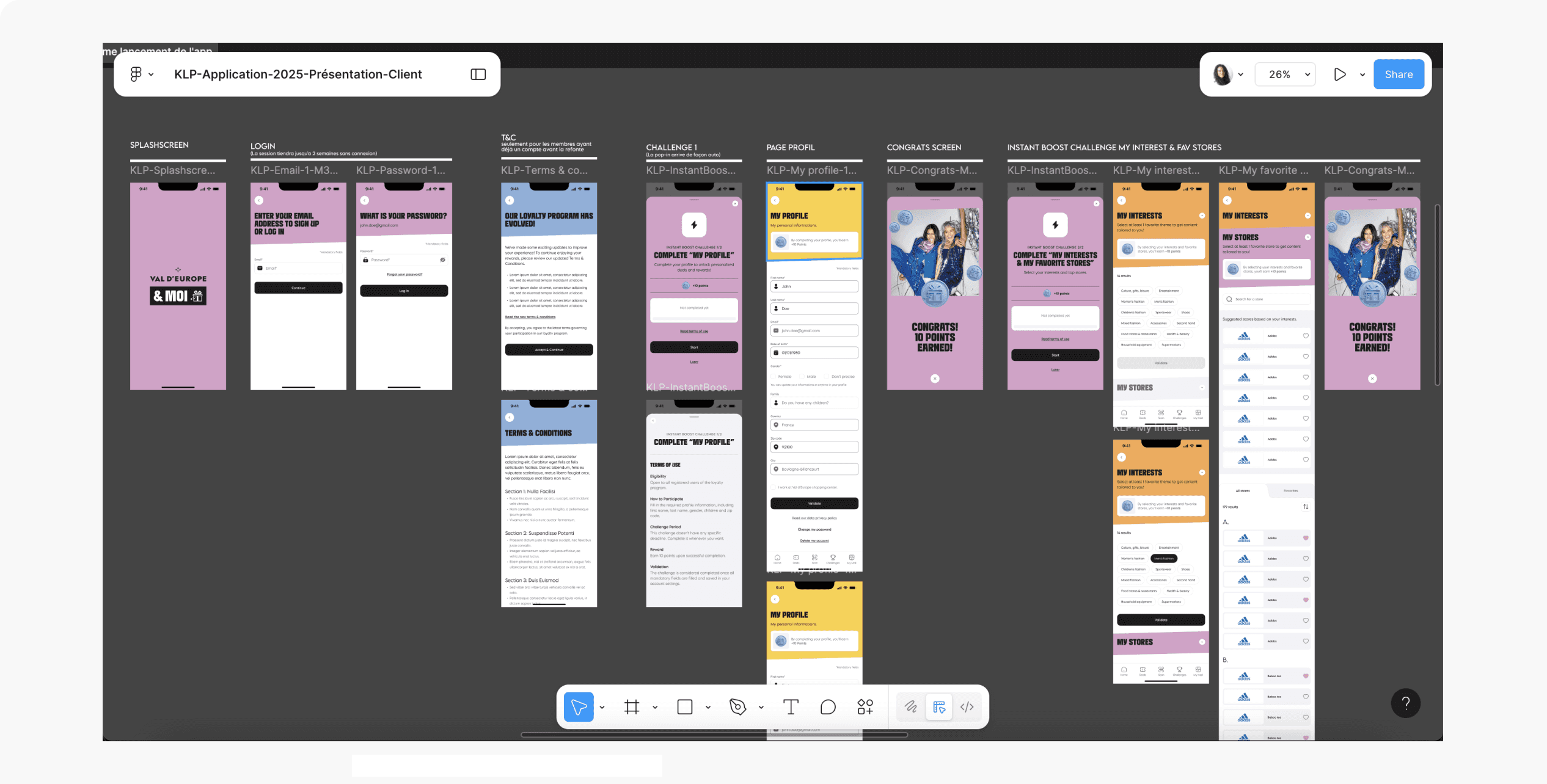
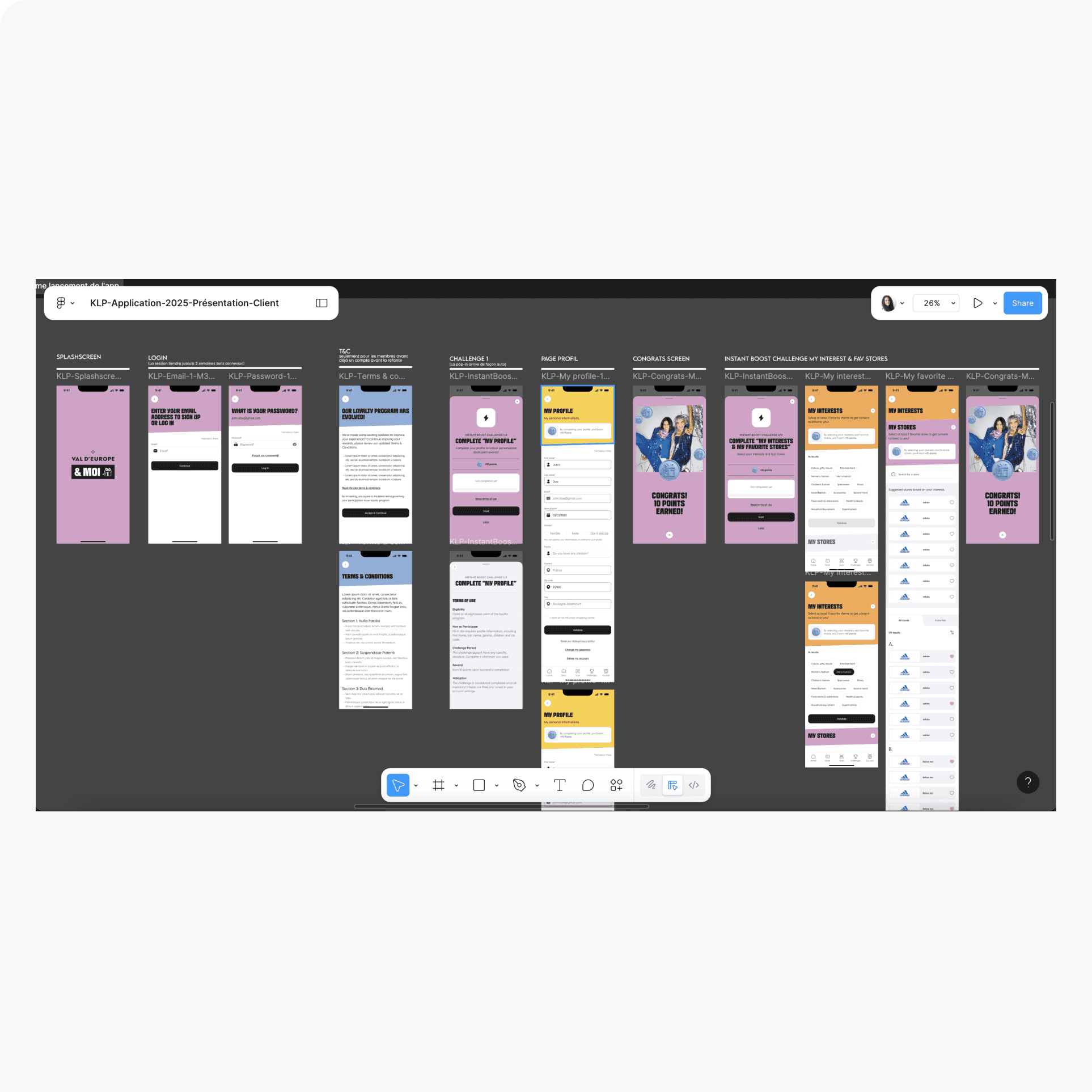
Second App Launch-UI: Worked hand-in-hand with the UI designer to bring the gamified onboarding vision to life, ensuring that visual hierarchy, animations, and interaction patterns reinforced the earn & burn mechanic and guided users smoothly through profile completion challenges.
2/ Designing the Home Page to Drive Core Program Engagement
The Home Page became the loyalty program’s primary engagement driver—the first screen where users decide to interact, return, and spend more.
Motivation First: Showed accessible, high-value rewards at the top to spark interest.
Challenge Prioritization: Instant Boost challenges first (max 3), followed by ongoing challenges most likely to be completed quickly.
User-Friendly Reminders: Added a reward reminder banner for redeemed rewards—improving visibility, satisfaction, and redemption rates.
Logical Flow: Structured content from “hot” (rewards, challenges) to “cold” (services, news), with the scan button always accessible in the navigation.
This structure encouraged immediate action while reinforcing the earn & burn mechanic at every visit.
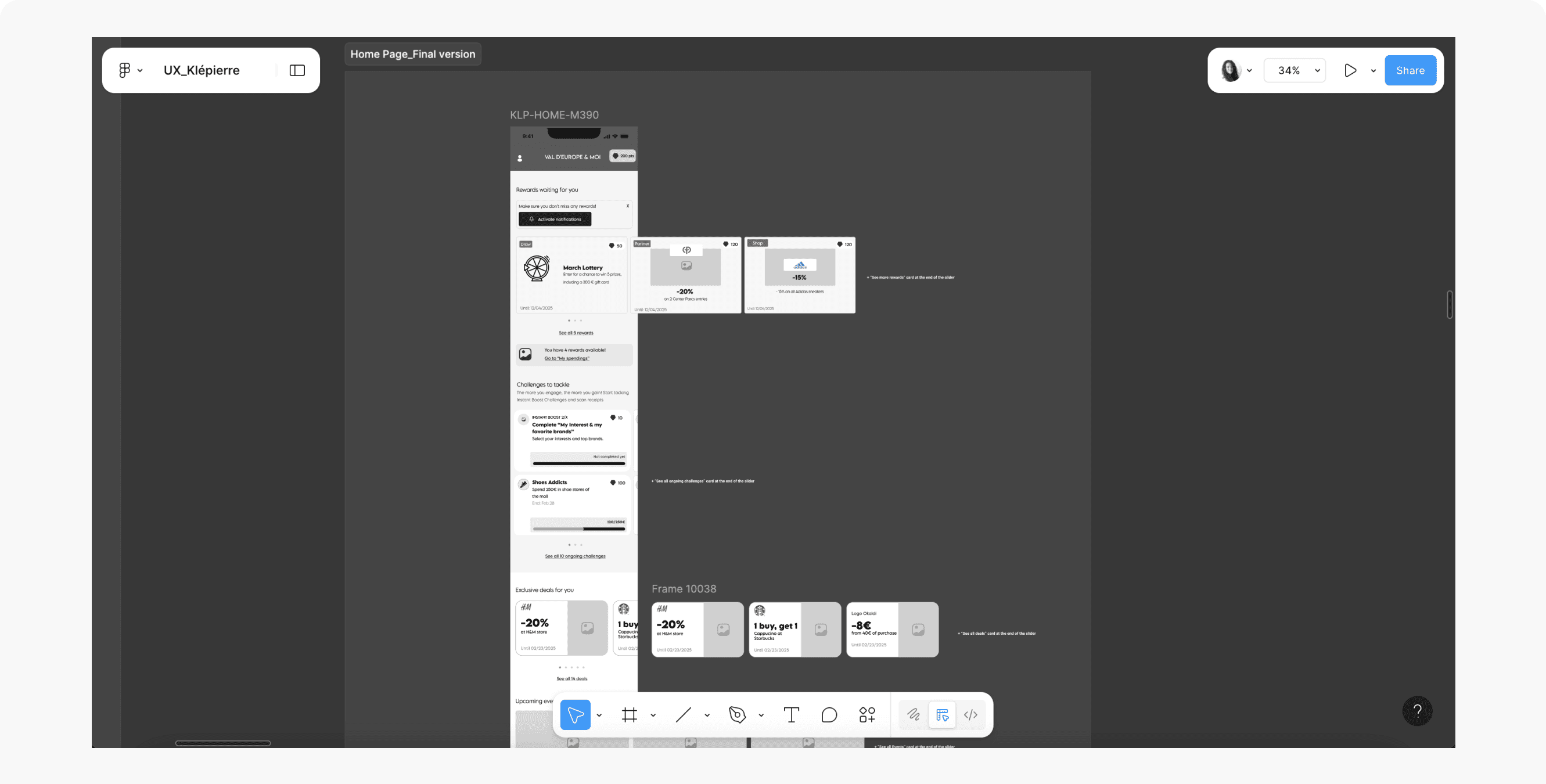
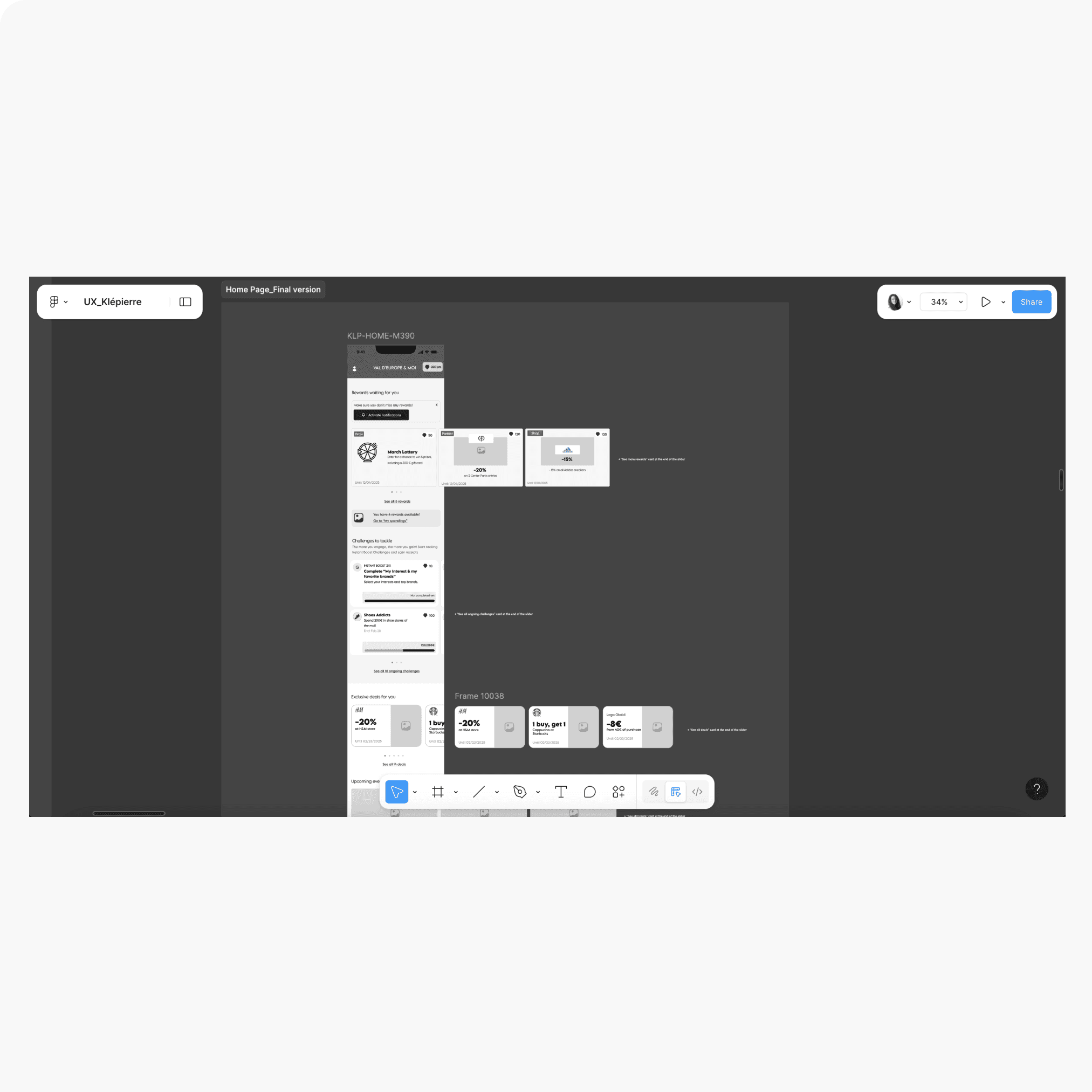
Homepage: Structured from hot-to-cold content to guide user action. Included key engagement elements like the reward reminder banner and prioritized challenge display. Worked closely with the UI designer to refine layouts while considering MVP and back-office constraints.
3/ Structuring Challenges & Rewards for Clarity and Motivation
The Challenges and Rewards catalogues were designed as the core interaction hub for the earn & burn mechanic.
Two Main Tabs:
Earn Points: Ongoing challenges, ordered by accessibility and impact.
Spend Points: Rewards catalogue, with sub-tabs for “Store” (available rewards) and “My Spendings” (redeemed rewards).
Clear Next Steps: Users always see their best earning or spending options in one tap.
Value Reinforcement: “My Spendings” helped users remember and use redeemed rewards—closing the engagement loop.
Back-Office Alignment: Structured to work seamlessly with the mall’s CMS limitations for scalable content management.
This design made the program intuitive, motivating, and sustainable long-term.
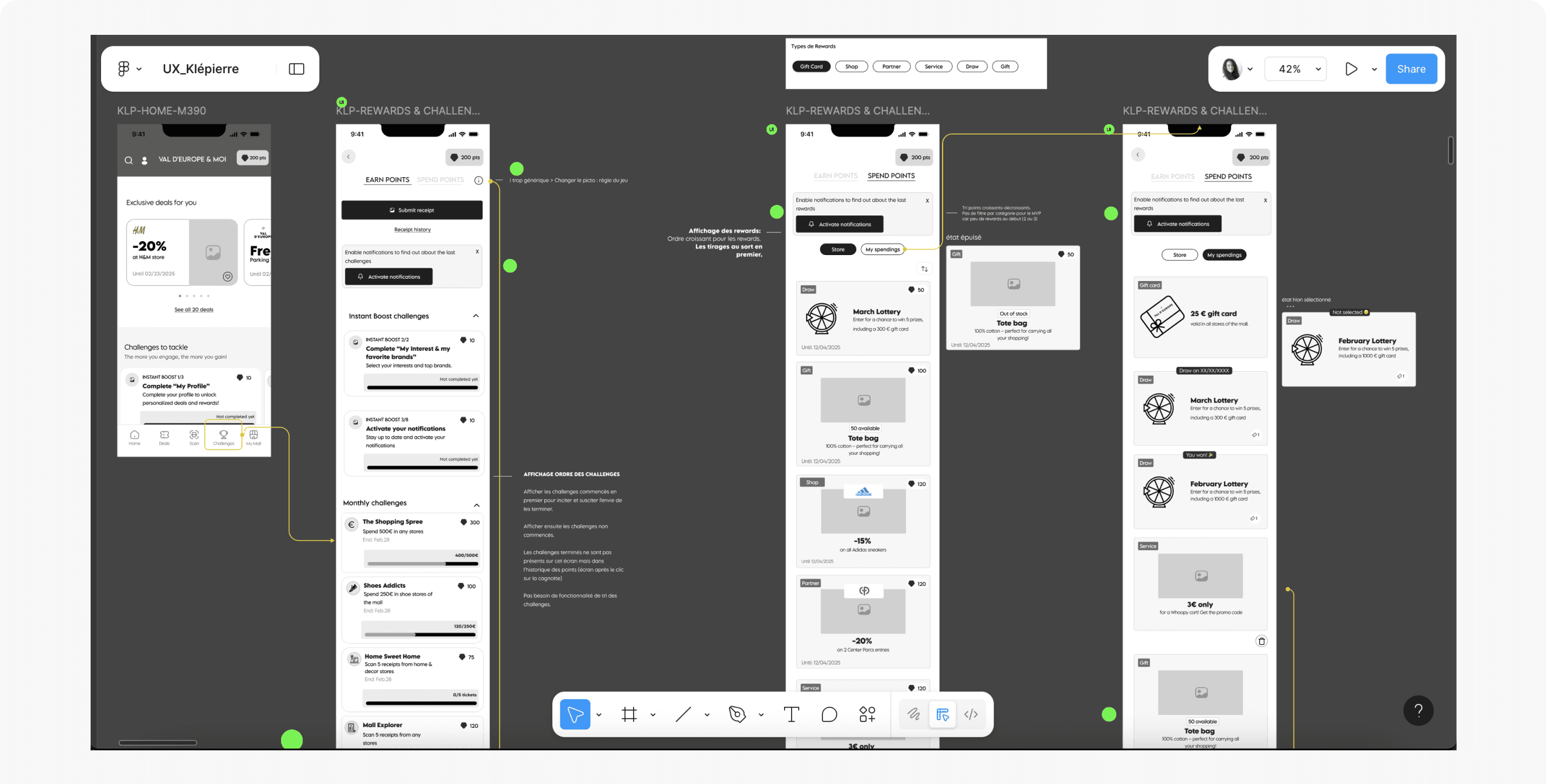
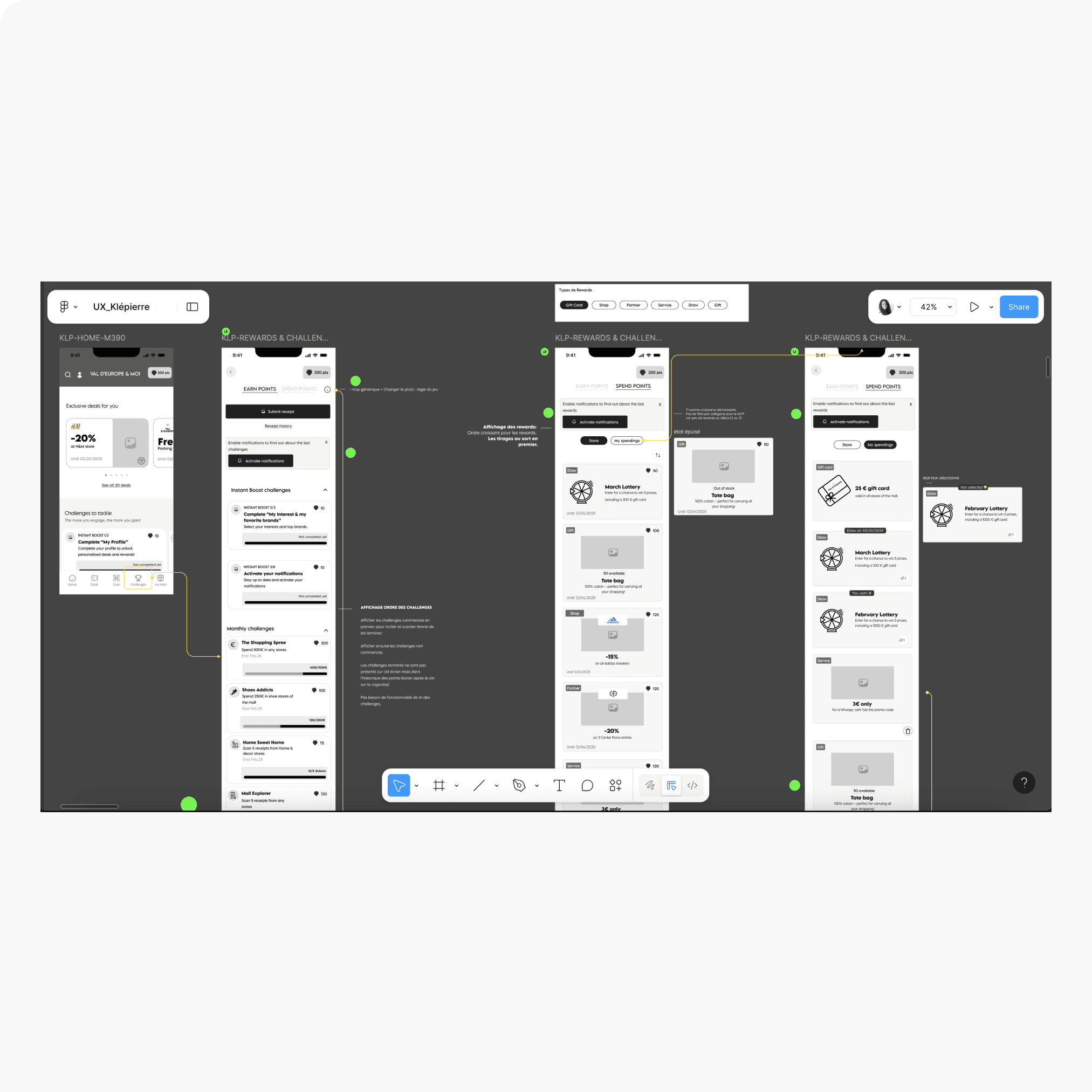
Challenges & Rewards Catalogue: Two-tab design separating earning and spending flows for clarity. Sub-tab structure in “Spend Points” ensures users can easily track both available and redeemed rewards. UI collaboration ensured consistency and scalability within technical constraints.
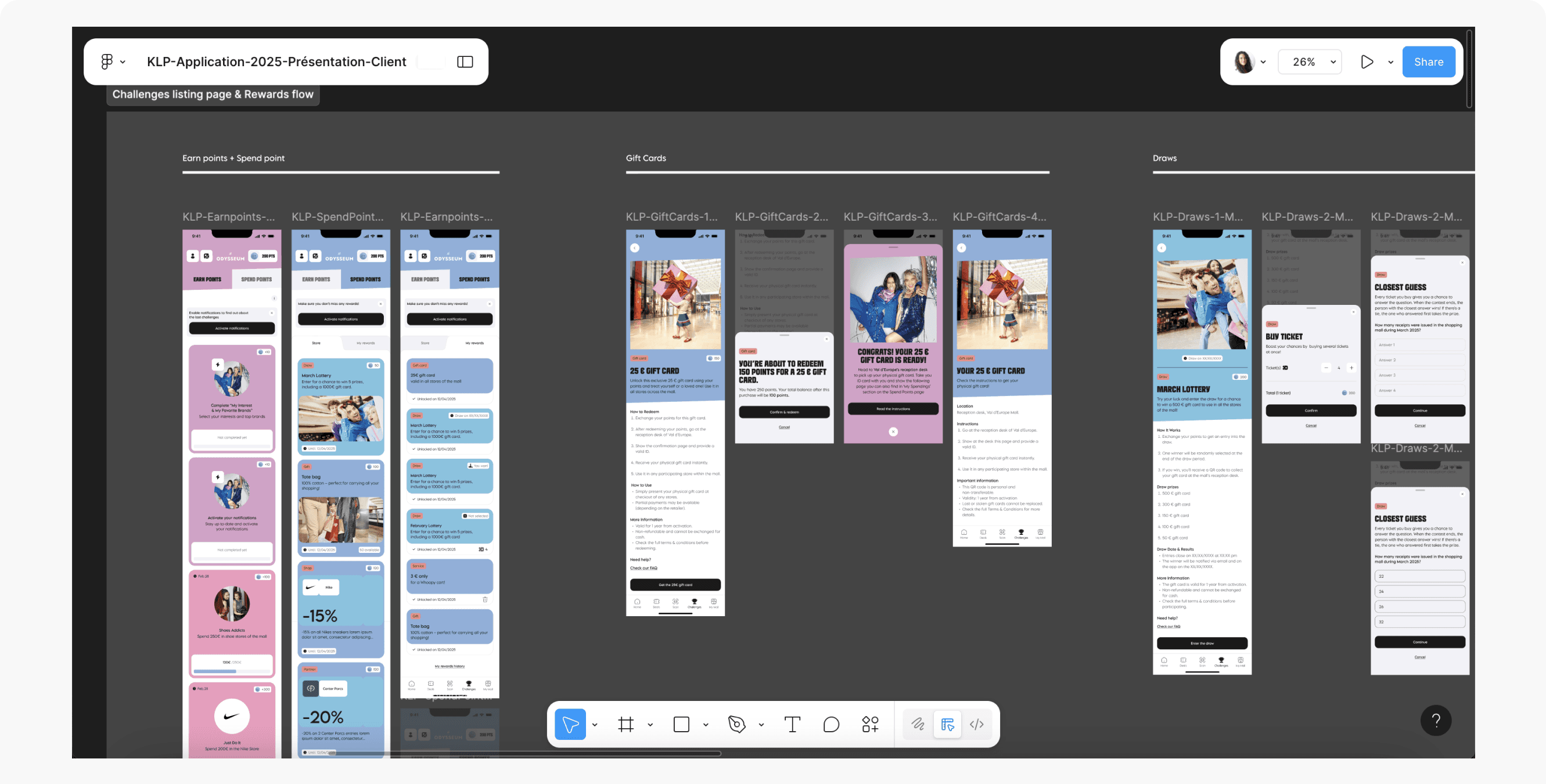
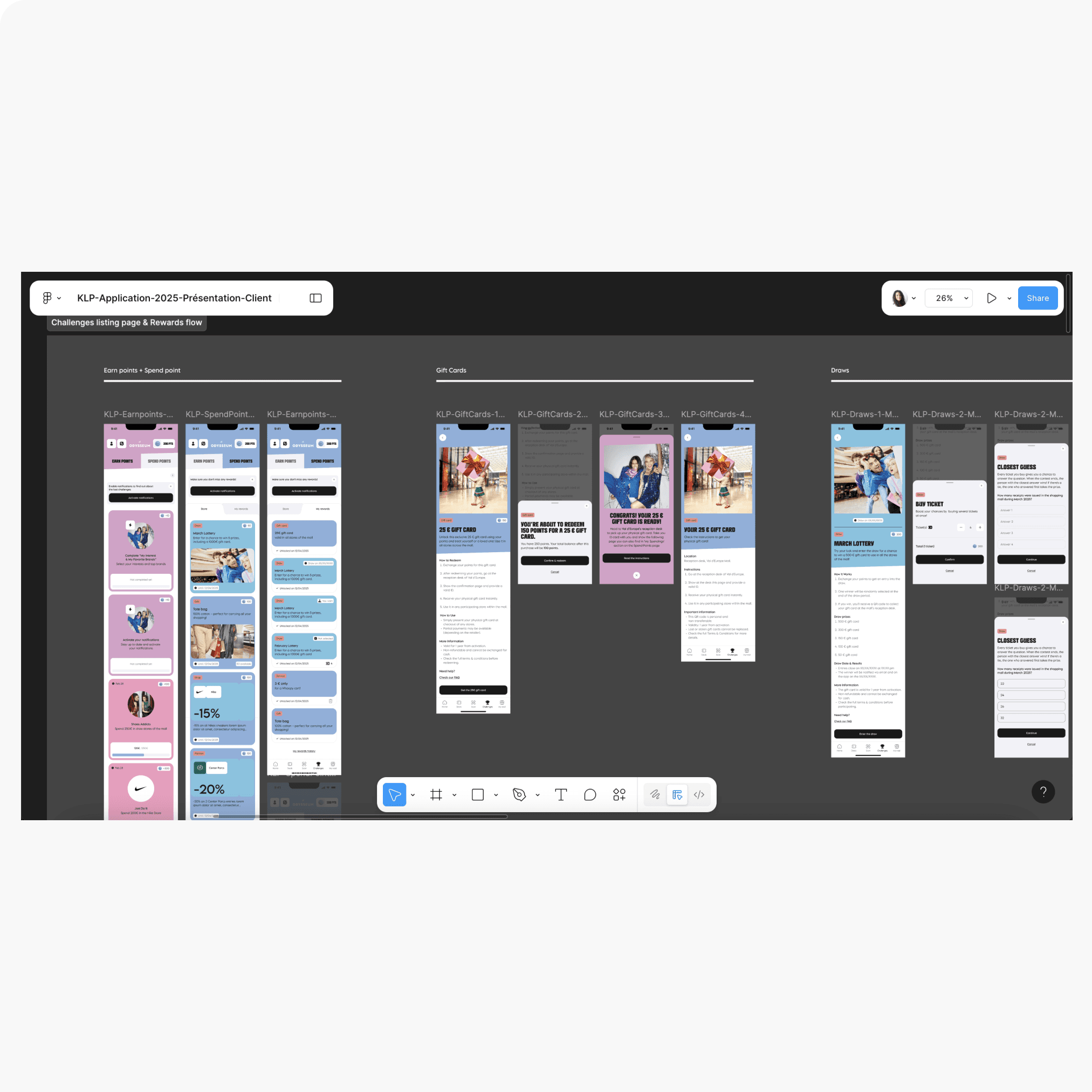
Challenges & Rewards Catalogue-UI:
Partnered with the UI designer to transform wireframes into a clear, engaging interface—ensuring visual hierarchy reinforced the “earn vs. spend” tabs, rewards felt motivating, and the experience stayed consistent with the overall design system.
takeaways.
Collaborating early with developers and PO was essential to understanding technical constraints, back-office data structures, and feasibility—allowing me to design realistic, implementable solutions.
Engaging stakeholders from the start ensured alignment on business goals and avoided late-stage surprises.
Balancing user needs with business priorities—especially in onboarding—required flexibility and willingness to pivot from the original design vision.
Using OOUX early in the process gave me a clear, shared understanding of all program components, helping avoid missed elements and accelerating design decisions.
Designing with scalability in mind—structuring components and flows so future iterations (dynamic homepage, richer gamification) can be added with minimal rework.
team collaboration.
Head of Design
Deputy Managing Director
Marketing Stakeholder (client side)
Product Owner
Project Manager
UI Designer
Copywriter
Head of Engineering
Developers (3 main contacts)